

 Follow us
 Follow us
Seed rounds are often sold with a clip the product cannot yet render on demand, and the dangerous version of that clip is one prompt with no beats. Investors remember a sequence: the problem, the product, the person using it. A single cinematic sentence tends to smear those three into one shot that looks expensive and proves nothing. On Seedance 2.5 API the page groups the work as fast, quality, and lite, and the model menu makes that split concrete. Seedance 2.0 Fast and Seedance 2.0 Mini list 4 to 15 seconds and 480p to 720p. The Seedance 2.0 card lists text, image, and reference, synchronized audio, and web-search prompts, with a spec row of 480p to 4K. A funding board can assign beats to those lanes. It should not assign the API banner to the product roadmap without reading the blocks that disagree with it.
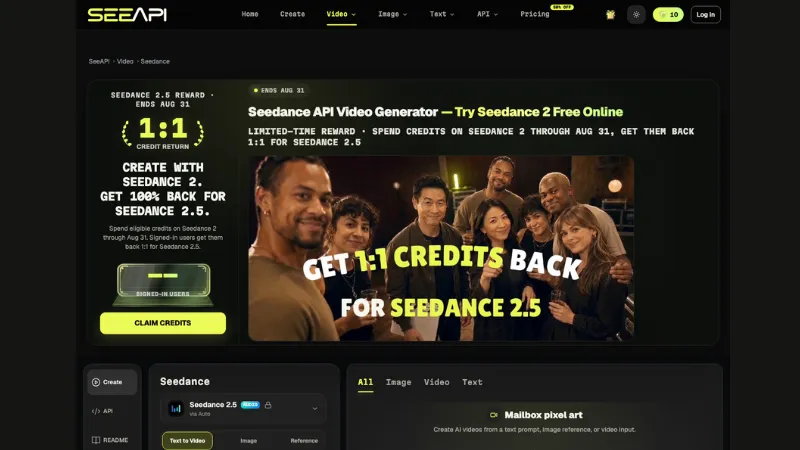
Homepage composer loaded, with navigation and the working panel.
In this piece the storyboard tool is Seedance API, not the company being funded. The test is whether a three-beat board survives contact with the cards. Fast and Mini are draft lanes because they stop at 720p. The wider spec row is where a hero beat can even be discussed. The banner that says the API is live sits above a block that prints the API as not yet available and above plan rows that mark API access as soon. A clip made in the composer is not a screenshot of an integration.
A Funding Clip Is Three Beats
Beat one is the problem the customer already has, shown as a place: a queue, a bench, a screen full of tabs. Beat two is the product, shown as an object the founder can point at. Beat three is one person finishing the task. Three beats are a storyboard. One cinematic prompt with no cuts is a mood. Investors who have sat through pitches can tell the difference, because the mood has no cut they can ask about.
A workable board for a seed-stage demo is almost dull, and that dullness is the point. Beat one might be a counter with three people waiting, no logos, no slogan. Beat two might be the same counter with one object in the founder’s hand, held still long enough to name. Beat three might be one of those people leaving with the task done, face unchanged from the first frame of that beat. None of those shots needs a skyline or a slow-motion logo. If a partner asks “what happens in the middle eight seconds,” the board has an answer that is a cut, not an adjective.
Write the beats on paper before opening a model menu. The paper version is what survives a partner who says the product beat looks like a different object. You can point at the sentence and the still. You cannot point at a prompt history and expect the room to reconstruct the story. Teams that start in the menu usually discover the story after the credits are gone, which is the expensive order.
Each beat gets a length before it gets a model. Six to eight seconds is enough for a problem. The product beat can be as short if the object is readable. The person beat fails when the face changes between the start and the end, which is a reason to keep that beat short and to reject it if the face drifts. A board that writes “15 seconds, make it inspiring” has not made beats. It has made a duration.
Fast And Mini Stop At 720p
The Fast card is explicit: faster generation, multi-reference inputs, synchronized audio, web-search prompts, 4 to 15 seconds, and a resolution band of 480p to 720p. Mini is the cost-efficient card on the same menu, with the same 4 to 15 seconds and the same 480p to 720p ceiling. Neither card is a 1080p master. A deck that must drop a 1080p file into a room cannot finish that file on Fast or Mini. It can draft there.
Drafts Belong On The 720p Cards
Drafts are where a beat is allowed to be wrong. The problem beat’s location can be tested at 720p or even 480p: is the queue readable, is the screen a prop rather than a real UI. If the beat is wrong, the cheap ceiling did its job. Spending the wider card on a beat that has not survived 720p is how a seed-stage team burns the afternoon before the partner meeting. The rework is then a new board, not a higher resolution of the same mistake.
The Wider Spec Is A Hero Beat
The Seedance 2.0 card, not the Fast or Mini cards, is the one with a spec row of 480p to 4K, still listing 4 to 15 seconds and text, image, and reference. A short line on that card also says inputs up to 720p. Those two lines should stay separate in the board notes. The hero beat, usually the product object, is the only beat that earns a conversation about the wider row. The problem beat and the person beat can stay on Fast or Mini until they are not embarrassing.
RECOMMENDED FOR YOU

The Peace of Mind Roadmap: How Full-Coverage Insurance Safely Protects Your Hard-Earned Assets
Oliver Bennett
Jun 20, 2026

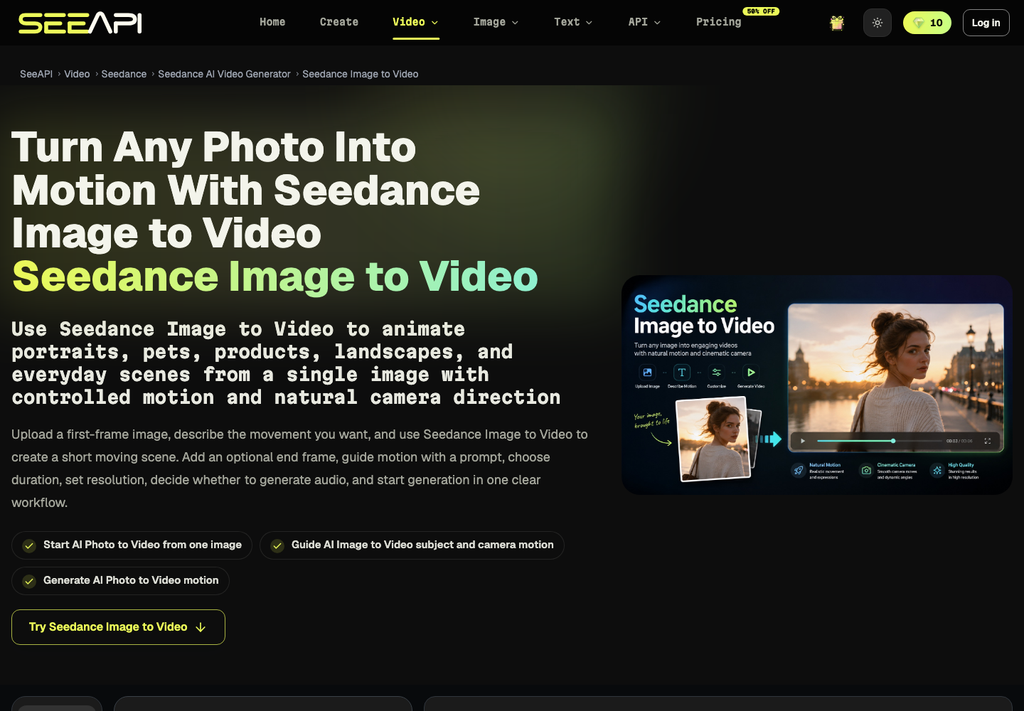
Image-to-video page: a still, a move, and an optional end frame.
Audio And Search Are Card Lines
Synchronized audio and web-search prompts are printed on the 2.0 card and on the Fast card. This storyboard does not treat those lines as features that were exercised. They are labels on the card. A founder who tells investors “it searches the web and writes the voiceover” is ahead of a menu label. If the beat needs a line of dialogue, write the line in the storyboard and record it, or leave the beat silent. Do not let a card label become a claim in the deck.
The Page Disagrees About The API
A startup that wants this inside its own product has to read three sentences that do not match. The top banner says the API is live. A lower block prints API coming soon beside a sample request. Plan rows mark API access as soon. Seedance API, as a composer you can open, is not the same object as an API key in a production app. The funding clip can be made in the composer. The roadmap slide cannot quote the banner and ignore the other two sentences.
The sample model ids on the page are part of that caution. They include seedance-1-5-pro, seedane-2, and seedance-2-5. The middle id is missing a letter. That is a small fact with a large use: do not copy sample ids from a marketing block into a technical appendix. Check the string. A deck that pastes seedane-2 into an architecture slide has advertised a typo as an integration.
A Composer Clip Is Not An Integration
Investors ask whether the demo is the product. The honest answer, if the clip was made by hand in a composer, is that the clip is a storyboard render. It shows the beats. It does not show a route in the startup’s app. Conflating them is how a seed round describes a vendor screen as a shipped feature. The reject rule is simple. If the beat cannot be produced by the startup’s own build, the slide says “storyboard,” not “in product.”
How To Mark A Beat Before You Generate
The board is a table the meeting can see. Each row is a beat. The model lane is a choice after the row exists, not before.
- Name the beat: problem, product, or person. One sentence of action.
- Write the length in seconds, inside 4 to 15 if you are on these cards.
- Put problem and person drafts on Fast or Mini, and stop at 720p until the beat is not wrong.
- Hold the product beat for the 2.0 card’s spec row only after the object matches the signed still.
- Label the export “storyboard” unless your own app produced it. Do not paste the sample id seedane-2 into the appendix.
Step three is where time goes when it goes well. A wrong problem beat at 720p is a discarded frame and a clearer sentence. The same wrong beat on a wider spec is a longer argument in the partner meeting about a shot you should have killed in the draft. Fast is not the hero. Fast is the place the hero is allowed to fail cheaply.
What The Deck May Claim Out Loud
The deck may claim the sequence: problem, product, person, with lengths you can point to. It may claim that draft beats were checked at 720p because that is the top of the Fast and Mini cards. It may claim that the hero beat was compared with a wider spec row that prints 480p to 4K, and that a short line on the same card still says up to 720p, so the deck quotes the row it means.
The deck may not claim that web-search prompts or synchronized audio were proven, if all you did was read the card. It may not claim the API is integrated because a banner says live, while another block and the plan row still mark access as not yet shipped. It may not claim a face stayed consistent if you never set the person beat beside the first frame. Those are the claims that get a round into trouble, and they are all optional. The storyboard does not need them.
Ship The Board Not The Banner
A funding clip is finished when the three beats can be narrated without the model menu. Fast and Mini carry the drafts up to 720p. The wider card is a conversation for the product beat, with its spec row and its shorter line kept apart. Seedance API is the place those cards were read. It is not the startup’s feature list.
Leave the banner out of the appendix. Leave the typo id out of the diagram. If a beat is wrong, reject it on the draft lane and spend the meeting on the sentence, not on a resolution the card does not offer. Investors can follow a board. They cannot follow a prompt that tried to be the whole company in fifteen seconds.
If the room only has time for one clip, play the three beats in order and stop. Do not add a fourth shot to “make it feel like a brand.” The fourth shot is where faces drift and sample ids sneak into the voiceover. A short board that a founder can narrate without looking down is the asset. The menu can wait until the next draft, on the lane that actually matches the beat.
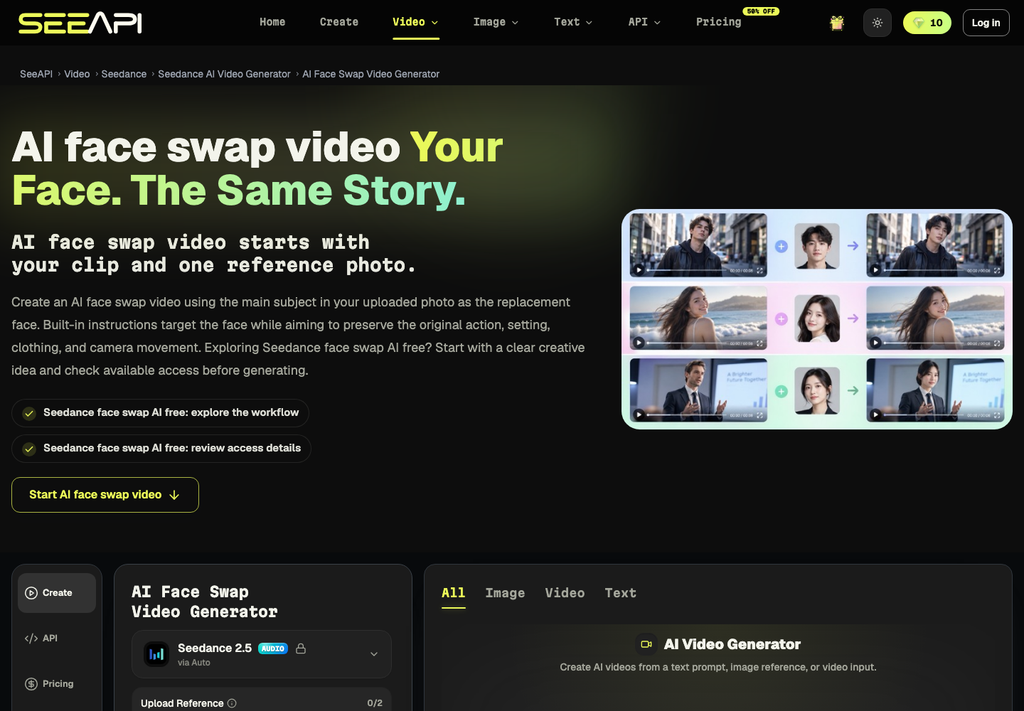
A separate face-swap page, with a reference photo beside a clip.
Recommended Stories for You
Team SR Jan 28, 2026

Team SR Aug 27, 2025
Team SR Jul 10, 2026
Team SR Apr 7, 2026

Sophie Carter Oct 1, 2026
Team SR Jul 22, 2026
Trending Stories

What Startups Should Think About Before Moving Into Their First Commercial Premises

Understanding Residential Proxy Networks and How They Protect Online Privacy

How to Check a Neighborhood’s Infrastructure Before You Buy or Rent
My Honest RiseGuide Review 2026

Warning signs your workplace injury claim is heading for trouble

When Social Media Doesn’t Work: Multi-channel Marketing for B2B

Simple Ways to Support Your Construction Workers

How startup teams can coordinate marketing across offices