

Work Wants Me to Use My Personal Phone in the UK: Employee Rights and What You Can Do
Nov 27, 2026 | By Oliver Bennett
 Follow us
 Follow us
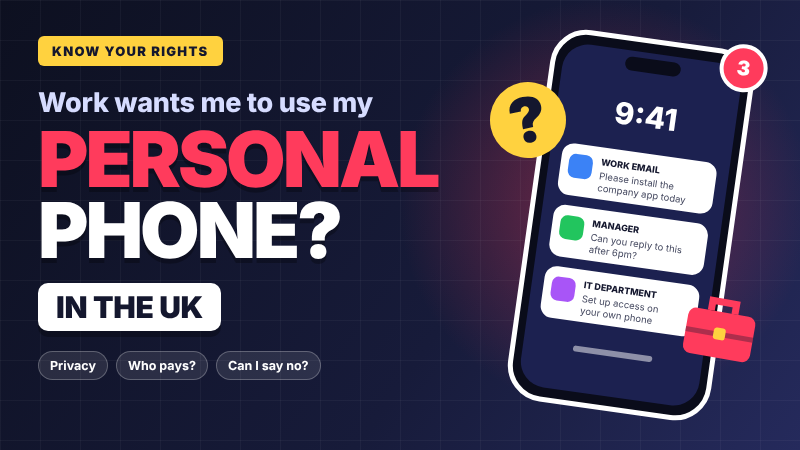
If your employer wants you to use your personal phone for work in the UK, you may have questions about your rights. You may also wonder who should pay for the extra costs and whether your employer can access your private information.
For example, your employer may ask you to answer work calls, check emails, use WhatsApp, install company apps or receive work updates on your personal phone.
This is known as Bring Your Own Device (BYOD). It means employees use their own phones, tablets or computers for work instead of getting equipment from their employer.
UK law does not generally stop employers from asking staff to use their personal devices. However, employers must still respect employee privacy, follow data protection rules and consider any extra costs.
Your employment contract and company policies also play an important role.
This guide explains whether your employer can ask you to use your personal phone, who should pay for work-related costs, what your employer can monitor and what you can do if you do not want to use your own device.
Can Your Employer Make You Use Your Personal Phone for Work in the UK?
There is no general UK law that stops employers from asking employees to use their personal phones for work. However, whether your employer can make this compulsory depends on your employment contract, company policies and the situation.
For example, your employer may ask you to:
- Check work emails on your personal phone.
- Answer business calls and messages.
- Join WhatsApp groups for work communication.
- Install company apps on your phone.
- Use an authentication app to access work accounts.
- Receive shift changes, work schedules and urgent updates.
If your employment contract already says that you must use your personal phone for work, your employer may have a stronger reason to make this a requirement.
However, if your contract does not mention it, you can ask your employer to explain why it is needed. You can also discuss other ways to access work services.
Adding a new requirement that changes your working conditions may raise employment contract issues.
Remember: Using your personal phone for work does not give your employer unlimited access to your device or private information.
What Are Your Rights When Using Your Personal Phone for Work?
Your personal phone still belongs to you, even if you use it for work. Your employer can introduce reasonable rules to protect company information, but it should explain what it needs and why.
Before agreeing to use your personal phone, check the following:
- Your personal information: Your employer should respect your private information. Your phone does not become company property.
- Work apps: Find out which apps you need to install and what information they can access.
- Security settings: Your employer may ask you to use a password, screen lock or other security features.
- Personal data: Ask whether work apps can access your contacts, photos, location or other private information.
- Leaving the job: Find out how the company will remove its emails, files and other work information from your phone when you leave.
The National Cyber Security Centre (NCSC) advises employers to protect company information while also considering the privacy of employees who use their own devices.
Can Your Employer Monitor Your Personal Phone?
Many employees worry about their employer checking their personal phones. This is especially common when a company asks staff to install work apps or monitoring software.
Your employer may monitor certain work-related activities to protect company systems and information. However, monitoring should have a clear reason and follow UK data protection rules.
For example, your employer may:
- Check access to company email accounts.
- Monitor the use of approved work applications.
- Apply security rules to company accounts.
- Record activity within company software.
- Remove company information from work apps when you leave.
However, this does not automatically mean your employer can read your private WhatsApp messages, look through your personal photos or access your private accounts.
Under UK data protection rules, employers must handle personal information properly. They should tell employees what information they collect, why they collect it and how they use it.
Employees should be given clear information about any monitoring that takes place.
The NCSC also advises businesses to consider employee privacy when introducing BYOD policies.
Can Your Employer Install Tracking or Monitoring Software?
Some companies use Mobile Device Management (MDM) software to manage work applications and protect business information on personal phones.
This software helps employers apply security rules and control access to company systems.
Depending on how the software is set up, it may allow your employer to:
- Require a password or screen lock.
- Control access to company apps.
- Set security rules for work accounts.
- Remove company information remotely.
- Block access to work systems if your phone is lost or stolen.
However, you should understand what the software can access before installing it.
For example, removing company emails from a separate work profile is different from deleting everything on your personal phone.
Ask your employer whether it can erase only work information or whether it has the ability to reset the entire device.
The NCSC recommends that businesses have clear rules for managing company information on personal devices, especially when an employee leaves or changes their phone.
Read Also- Best Business Electricity Rates UK: A Complete Guide
Does Your Employer Have to Pay for Your Personal Phone?
There is no general rule that requires every UK employer to pay employees a fixed monthly amount for using their personal phones.
However, if your job requires you to make business calls, send work messages or use mobile data, it is worth discussing who will cover the extra costs.
Your employer may offer:
- A monthly phone allowance.
- Payment for business calls.
- Reimbursement for extra mobile data.
- A company SIM card.
- A separate work phone.
- A business calling app.
The right arrangement depends on how often you use your phone and what your job requires.
What Does HMRC Say About Phone Expenses?
HMRC has specific rules about phone expenses paid by employers.
If you use your personal mobile phone for work and your employer pays your monthly phone bill, the payment may be subject to income tax and National Insurance.
However, business calls made outside your normal monthly tariff may receive different tax treatment.
For pay-as-you-go phones, employers can generally reimburse the cost of business calls without deducting tax and National Insurance, provided the relevant HMRC conditions are met.
This means there is a difference between paying an employee's regular phone bill and reimbursing the cost of actual business calls.
You can find more information in the official HMRC guidance on mobile phone expenses.
Can You Refuse to Use Your Personal Phone for Work?
You may be able to refuse to use your personal phone for work, but it depends on your employment contract and the circumstances.
If your contract does not say that you must use your own phone, you can explain your concerns to your manager or HR department. You can also ask for a company phone or another way to access work systems.
You may want to request another option if:
- You do not want personal and work information on the same phone.
- Your phone cannot support the company's apps.
- You cannot afford the extra calls or mobile data.
- Your employer wants to install monitoring software that makes you uncomfortable.
- You do not want customers or colleagues to have your personal number.
- You have a disability or another reason that makes using your personal phone difficult.
If your employer says that using your personal phone is compulsory, ask them to show you the relevant part of your employment contract or company policy.
Do not simply ignore a reasonable instruction from your employer. Try to discuss the issue first. If you cannot reach an agreement, you can contact ACAS or speak to an employment solicitor for advice.
What If Your Employer Wants You to Use WhatsApp for Work?
Some employers ask staff to use WhatsApp for daily work communication. This may include joining office groups, receiving updates from managers or speaking with customers.
However, using your personal WhatsApp account for work can create privacy problems.
For example, colleagues and customers may see your personal mobile number. You may also receive work messages during evenings, weekends or holidays.
To avoid these problems, employers can consider other options, such as:
- Microsoft Teams or another company messaging app.
- A separate business WhatsApp account, where suitable.
- A dedicated work phone number.
- A business calling app.
- A company-provided mobile phone.
Using separate business communication tools can help keep personal and work conversations apart.
Employers should also explain how they will protect customer and employee information.
LegalVision UK also highlights the privacy concerns that can arise when businesses ask employees to use their personal mobile numbers for work.
Can Your Employer Contact You Outside Working Hours?
Using your personal phone for work does not automatically mean you must be available all day and night.
Your employment contract, normal working hours and any agreed on-call duties help decide when your employer can expect you to respond.
For example, if your working hours finish at 5 pm, you do not automatically have to reply to every work message received at 9 pm.
However, different rules may apply if your job includes emergency duties or an agreed on-call arrangement.
It is a good idea to ask your employer:
- Do I need to answer work calls after my shift?
- Am I expected to reply to messages during evenings or weekends?
- Will I receive extra payment for being on call?
- Which messages need an urgent response?
- Can non-urgent messages wait until the next working day?
Agreeing on these rules can help protect your personal time and prevent work from taking over your evenings and weekends.
What Should You Do If Your Employer Insists on Using Your Personal Phone?
If your employer wants you to use your own phone and you are not comfortable with it, there are several steps you can take.
1. Check Your Employment Contract
Read your employment contract carefully. Look for rules about company equipment, mobile phones, IT policies and work-related expenses.
2. Ask for the BYOD Policy
Ask your employer for a written policy explaining which apps you need to install, what information the company can access and how it will protect your personal data.
3. Discuss Phone Costs
If you need to make regular business calls or use mobile data, ask whether your employer will cover the extra costs.
4. Understand What the Monitoring Software Can Do
Before installing any company software, ask whether it can track your location, access personal information or delete data from your phone.
5. Ask for Another Option
If you do not want to use your personal phone, ask whether the company can provide a separate work phone, SIM card or computer access.
6. Keep Written Records
Keep copies of emails and messages about the phone requirement. Also save any discussions about expenses, privacy or monitoring.
These records may help if you have a disagreement with your employer later.
7. Get Employment Advice
If your employer threatens disciplinary action or changes your working conditions because you refuse, consider contacting ACAS or speaking to an employment law professional.
Personal Phone vs Company Phone: Which Is Better for Work?
Both personal phones and company phones have advantages and disadvantages. The better option depends on your job and how often you need to use a phone for work.
| Factor | Personal phone | Company phone |
|---|---|---|
| Ownership | You own the phone | Your employer owns the phone |
| Phone costs | You may have extra expenses | The company usually pays the costs |
| Privacy | Work and personal use need clear boundaries | The employer can manage the work device |
| Work apps | Installed on your personal phone | Installed on the company phone |
| Personal use | You control your normal personal use | Depends on company rules |
| Leaving the job | Company information must be removed | You usually return the phone |
RECOMMENDED FOR YOU


Helsing vs Quantum Systems: Which German Defense-Tech Startup Leads in 2026?
Kailee Rainse
Sep 28, 2026

If your job involves regular customer calls, confidential documents or sensitive business information, having a separate company phone may be a better choice.
However, if you only need to check emails occasionally or use an authentication app, a properly managed BYOD arrangement may be more convenient.
What Does the Law Say About Using Personal Phones at Work in the UK?
Several UK laws and official guidelines are relevant when employees use their personal phones for work.
| Law or guidance | Why it matters |
|---|---|
| UK GDPR | Sets rules for how employers collect and use personal information. |
| Data Protection Act 2018 | Provides the main legal framework for data protection in the UK. |
| Employment contract | May explain what equipment employees must use and what their responsibilities are. |
| HMRC guidance | Explains how phone expenses and reimbursements are treated for tax purposes. |
| NCSC BYOD guidance | Provides advice on protecting company information when employees use personal devices. |
The National Cyber Security Centre advises businesses to protect company information accessed through personal devices. Employers should have suitable security measures and clear rules for employees.
You can read the NCSC's official BYOD security guidance.
FAQs
1. Can my employer force me to use my personal phone in the UK?
There is no general UK law that automatically stops employers from asking employees to use their personal phones. Whether your employer can make it compulsory depends on your employment contract, company policies and the situation. You can raise your concerns and ask for another option.
2. Does my employer have to provide a work phone?
No, not in every situation. UK law does not generally require every employer to provide a separate mobile phone. However, your employment contract and the type of work you do may affect what equipment your employer should provide.
3. Can my employer read my personal WhatsApp messages?
Using your personal phone for work does not automatically give your employer access to your private WhatsApp messages. Any monitoring must follow data protection rules and have a valid reason.
4. Can my employer track my location through my personal phone?
An employer may use location tracking for certain work-related reasons. However, it should explain why tracking is needed and when it will happen. The monitoring should also be necessary and proportionate.
5. Can I get money back for using my personal phone at work?
You can ask your employer to pay back reasonable business-related phone costs. HMRC has specific rules about how these payments are taxed. The tax treatment depends on the type of expense and how the employer makes the payment.
6. Can my employer ask me to install work apps on my personal phone?
Yes, an employer may ask you to install approved work apps as part of a workplace arrangement. However, it should explain what the apps do, what information they can access and whether they change your phone's security or privacy settings.
7. Can I refuse to give my personal number to customers?
You can raise this concern with your employer and ask for another option. For example, the company could provide a business number, call-forwarding service or approved calling app.
8. What should I do if I do not want to use my personal phone for work?
Start by checking your employment contract and company policy. Then explain your concerns to your manager or HR department and ask for a company phone or another way to access work services. You can also contact ACAS for employment advice.
Conclusion
If your employer wants you to use your personal phone for work in the UK, it is important to understand your rights before agreeing.
Although UK law does not generally ban employers from asking employees to use their own devices, businesses still need to respect privacy, follow data protection rules and consider work-related phone costs.
Your personal phone does not become company property just because you use it for work. Ask your employer for a clear BYOD policy and find out what information it can access, whether monitoring software is required and who will pay for extra expenses.
If your job involves regular customer calls, confidential information or frequent work communication, a separate company phone may be a better solution.
SEO Details
SEO Title: Work Wants Me to
Recommended Stories for You

Oliver Bennett May 20, 2024

Oliver Bennett May 29, 2024

Team SR Jun 30, 2025

Oliver Bennett Dec 15, 2025

Oliver Bennett May 6, 2024

Team SR Jan 13, 2025
Trending Stories

Leading AI Startup in Europe

Unique Business Ideas in Luxembourg

Unique Business Ideas In Amsterdam For 2024

Best Startup Industries In 2024 – 2025

Series A Funding NEWS Europe – July 2024

Business Bank Accounts for Startups in UK

Best Business Ideas in Spain 2024

How to Set Up a Tutoring Business: A Step-by-Step Guide