

Human Resources Software: Features, Benefits, Types, and Best Solutions
Oct 27, 2026 | By Oliver Bennett
 Follow us
 Follow us
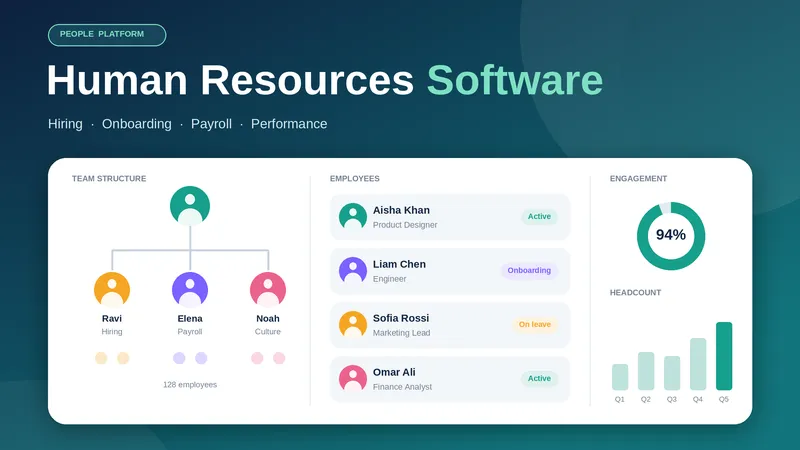
Human resources software helps businesses manage employees and handle daily HR tasks more easily. It supports activities such as hiring, onboarding, payroll, attendance tracking, and performance reviews. These tools bring important HR tasks together in one place.
As businesses grow, managing employees can become more difficult. HR software helps companies save time and reduce paperwork. It also makes employee information easier to manage. Small businesses can use it to handle basic HR tasks while large companies can manage teams across different departments and locations.
In this guide, we explain what human resources software is and how it works. We also cover its main features and benefits along with the best tools for businesses in 2026.
What Is Human Resources Software?
Human resources software is a digital tool that helps businesses manage employee information and daily HR activities. It allows HR teams to store employee records and track attendance. They can also manage leave requests and support recruitment through the same platform.
Many modern HR tools use artificial intelligence (AI) to support hiring and analyze workforce data. Some also provide automated answers to common employee questions.
For example, an HR manager can use the software to post job openings and track applications. The same platform can help onboard new employees and manage leave requests. This reduces the need for paper records and separate spreadsheets.
Key Features of Human Resources Software
The best HR software offers several features that make employee management easier.
| Feature | What It Does |
| Employee database | Stores employee details and important documents |
| Recruitment | Helps manage job postings and job applications |
| Payroll management | Helps process salaries and track deductions |
| Time and attendance | Tracks working hours and employee attendance |
| Leave management | Manages holiday requests and leave balances |
| Performance management | Helps set goals and review employee performance |
| Employee training | Organizes training programs and learning activities |
| HR analytics | Provides reports on hiring and employee turnover |
| Employee self-service | Allows employees to update details and request leave |
Businesses should choose features that match their needs and budget. A small company may only need employee records and leave management. A large organization may need advanced reporting and payroll support.
Types of Human Resources Software
Different types of HR software help businesses manage specific tasks. Some tools focus on one area while others offer a complete HR solution.
1. Human Resource Information System (HRIS)
An HRIS helps businesses manage employee records and basic HR activities. It can store personal details and track leave. It is a good option for companies that want to keep employee information in one place.
2. Human Capital Management (HCM) Software
HCM software covers a wider range of HR activities. It can support workforce planning and employee development. Large companies often use these tools to manage their workforce and improve HR decisions.
3. Applicant Tracking System (ATS)
An ATS helps recruitment teams manage job applications. It allows recruiters to track candidates and organize interviews. This makes the hiring process easier to manage.
4. Payroll and Benefits Software
This software helps businesses process employee salaries and manage benefits. Some platforms also support tax calculations and payroll reports. Available features depend on the provider and country.
5. Performance Management Software
Performance management tools help businesses review employee progress. Managers can set goals and provide feedback. These tools also help identify areas where employees may need training.
6. Workforce Management Software
Workforce management software helps businesses plan employee schedules and track working hours. It is useful for companies in retail and healthcare. Hotels and manufacturing businesses can also use it to manage shifts.
Best Human Resources Software in 2026
The best HR software depends on the size of your business and the features you need. Here are some popular options to consider.
| Software | Best For | Main Strength |
| BambooHR | Small and medium-sized businesses | Employee records and core HR tasks |
| Gusto | US-based small businesses | Payroll and employee benefits |
| Rippling | Growing businesses | HR and IT management |
| Workday | Large enterprises | Workforce planning and HR analytics |
| HiBob | Growing and international teams | Employee experience and people management |
| Deel | International and distributed teams | Global hiring and workforce administration |
| Zoho People | Businesses looking for flexible HR tools | Attendance and employee management |
| ADP | Businesses of different sizes | Payroll and HR services |
Each platform offers different features. Some focus on payroll while others provide broader HR services. Before making a decision, check the latest pricing and available features. You should also confirm that the software supports your country and works with your existing business tools.
Benefits of Human Resources Software
RECOMMENDED FOR YOU



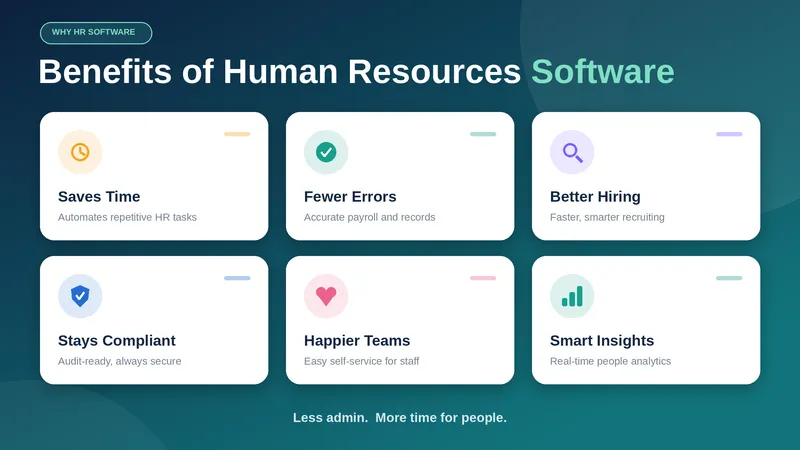
HR software offers several benefits that help businesses manage employees more effectively.
- Saves time: It automates daily tasks such as leave approvals and employee record updates.
- Reduces errors: Digital records help reduce mistakes caused by manual data entry.
- Improves decision-making: HR reports help managers understand hiring trends and employee turnover.
- Makes work easier for employees: Self-service tools allow employees to check information and request leave without always contacting HR.
- Simplifies hiring: Recruitment tools help HR teams organize applications and track candidates.
- Supports compliance: The software can help maintain records and prepare reports needed for employment requirements.
- Supports business growth: Cloud-based tools make it easier to manage more employees as a company expands.
The results depend on how well the software is set up and how effectively employees use it.
Read Also- Top 10 Celebrity Startup Investors in Europe (2026)
How to Choose the Right HR Software
Choosing the right HR software can help businesses save time and manage employees more efficiently. Consider these points before selecting a platform.
1. Understand your needs
Decide which HR tasks you want to manage. You may need recruitment tools or payroll support. You might also need attendance tracking and employee records.
2. Consider your business size
Small businesses often need simple tools that are easy to use. Large companies may require advanced reporting and more control over employee access.
3. Check local requirements
Make sure the software supports the employment rules and payroll requirements of your country. This is especially important for businesses operating in multiple countries.
4. Compare pricing
Check the subscription fees and any extra charges. Some providers charge based on the number of employees. Others offer custom pricing for larger companies.
5. Review integrations
The software should work with your existing accounting and payroll systems. Useful integrations can reduce manual work and make data easier to manage.
6. Check security
HR systems store private employee information. Look for features such as data encryption and access controls. You should also review the provider's data protection policies.
7. Request a demo
Test the software before making a final decision. Check whether the platform is easy to use and whether its features meet your business needs.
Human Resources Software for Small Businesses vs. Large Enterprises
Small businesses usually need affordable software that can handle employee records and leave requests. They may also need basic payroll and onboarding features. A simple platform can help a small team manage HR without adding too much administrative work.
Large enterprises often have more complex needs. They may manage employees across several offices or countries. These companies may need advanced reporting and workforce planning. They may also require connections with other business systems.
Mid-sized businesses can choose software that grows with them. They can start with basic HR features and add more tools as their workforce expands.
Conclusion
Human resources software helps businesses manage employees and simplify daily HR work. It can support recruitment and payroll while making attendance tracking and performance reviews easier.
The right software depends on your company size and budget. You should also consider the features and security options available. Comparing different platforms will help you find a solution that meets your current needs and supports future growth.
As businesses continue to adopt digital tools in 2026, HR software can help improve daily operations and create a more organized workplace.
FAQs
What is the best human resources software?
The best HR software depends on your business needs. BambooHR is worth considering for core HR tasks. Gusto is an option for US payroll. Rippling combines HR and IT management while Workday offers broader enterprise HR capabilities.
How much does human resources software cost?
The cost depends on the provider and the number of employees. Features and subscription plans also affect the price. Some providers offer basic plans while larger companies may need custom packages. Contact vendors for current pricing.
Is HR software useful for small businesses?
Yes. HR software helps small businesses organize employee records and manage leave requests. It can also simplify onboarding and reduce paperwork. This allows business owners to spend more time on other tasks.
What is the difference between HRIS and HCM software?
An HRIS mainly manages employee information and basic HR tasks. HCM software usually covers a wider range of activities such as talent development and workforce planning. However, the features can overlap depending on the provider.
Is cloud-based HR software secure?
Cloud-based HR software can provide strong security features. However, security depends on the provider and how the system is configured. Businesses should check data protection policies and access controls before choosing a platform.
Recommended Stories for You

Team SR Jan 18, 2025


Oliver Bennett Nov 3, 2023

Team SR Jan 7, 2025

Oliver Bennett Dec 15, 2025

Kailee Rainse Sep 25, 2026
Trending Stories

Best Venture Capital Firms London 2024
The Top Disruptar brand, Revolutionizing the European

Startups Hit €200 Million+ in 2024 Funding Report

Business Credit Cards For Startups

Unique Business Ideas In Marseille For 2024

Top Incubators And Accelerator Of UK

Startup Ecosystem Of Netherlands

List of European Ecommerce Unicorn