

 Follow us
 Follow us
Pitch decks fail diligence when the hero still and the live product stop being the same build. A glare on a dashboard, a leftover cursor, or a messy browser chrome can be cleaned. A chatgpt photo editor is useful only when that cleanup leaves the same buttons, the same empty state, and the same numbers the investor will click after the meeting.
European startup pages this month are full of raises, integration stories, and ChatGPT-for-founders explainers. The missing half of those explainers is the slide that has to survive a screen share. Investors do not score a prettier dashboard. They open the app you said you shipped. If the still looks like a later version, or like a different product, the rest of the deck starts to sound like a wish. This walkthrough keeps the still on the build you already demo.
The Pitch Still Has To Match The Live App
A seed-round still is evidence, not decoration. The slide claims a workflow. The still is supposed to be a frame from that workflow. When cleanup restyles the whole interface into a softer, more “funded” looking console, the claim moves. Diligence then spends the next hour asking which build they just saw, and that hour becomes a trust argument rather than a layout note.
Founders already lose time to data rooms, term sheets, and bank integrations. They should not lose another afternoon because a hero shot invented a sidebar the live app does not have. The job for this week is one named cleanup on the capture you already recorded: lift the glare, remove the cursor, crop the browser junk. Leave the product alone. A partner who already read the EUCLYD-style infrastructure brief or a core-banking integration explainer will expect the screenshot to be as literal as those stories. A restyled console breaks that literal habit in one slide.
If the live app is ugly in a way you are about to ship, say that in the speaker notes. Do not ask chat to ship it early inside a picture. A picture that arrives before the build is a second product, and second products do not survive a shared screen.
Prepare The Capture Before Anyone Uploads
Record the still from the same environment you will demo. Same tenant. Same empty state or the same sample row. Same browser zoom. If the capture is a marketing site mock while the demo is the app, stop. You do not have a pitch still yet. You have a poster.
Write the keep list on the ticket before the file moves. The primary button stays where it is. The number in the header stays the number you will show live. The empty-state sentence stays the sentence in the build. Translate “make it look more Series A” into one visible defect: the window glare on the right third, or the cursor sitting on the chart. If two people can generate, only one of them should, because two parallel prompts will give you two dashboards and one deck slot.
Export a PNG or a JPEG of the real window, not a shot of a shot in a slide. A slide of a slide already flattened the type. Chat will happily restyle flattened type into new labels, and those labels will not be in the repo. If the only file on the card is a Figma export that never ran in a browser, treat it as a poster and keep it out of the product section. Posters belong on the vision slide. The product section has to survive a click.
The keep list should also name who is allowed to generate. If a marketer and a founder both press the button on the same night, the deck will collect two dashboards and a Slack thread about which one is “more us.” One owner, one capture, one change. That sounds bureaucratic until the first partner meeting where nobody can remember which prompt moved the filter chip.
Upload The Same Build Investors Already Saw
PicEditor AI’s chat page starts from a reference, not from a blank canvas. Use Upload Reference Image or Upload Image for the capture you just prepared. That file is the subject. If the approved still already lives in the workspace, Or Select from Assets Library. Add more is marked 1/14, which is enough for a second angle of the same screen if you truly need a lighting hint. It is not an invitation to upload a competitor’s dashboard “for vibe.”
RECOMMENDED FOR YOU
MacBook Performance in 2026: How Apple Silicon Compares to Intel and AMD Laptops
Team SR
Feb 19, 2026

A Question People Actually Search: Why Does Recovery From Surgery Take So Long?
Team SR
Sep 19, 2026
A second reference from another product is how a new nav sneaks into your raise. Keep the library slot for your own earlier still of the same build. If the library is empty, upload the capture you just made and stop adding pictures. One strong plate is enough for a glare lift. Fourteen slots are how a founder collects fourteen almost-right heroes and a meeting about which almost-right hero is the company. PicEditor AI will store whatever you add. It will not tell you which of those fourteen frames is the tenant you can actually open on the call.
Write One Change And Request Four Takes
The prompt should name the defect and name the lock. Keep the dashboard layout, the button labels, and the sample number. Change only the glare, or only the cursor, or only the browser chrome. Number of Images can be set from 1 to 4. On a raise week, four takes of one change are cheaper than one take of a redesign, because you can pick the frame that still matches the live app and discard the three that drifted.
Four Takes Beat One Restyled Dashboard
Set Number of Images to 4 only after the sentence is narrow. Four restyles are four new products. Four glare lifts are a small pile you can compare against the running build. If take two moved a button and take four kept it, take four is the candidate. Do not average them. Averaging is how a deck gets a button that exists in none of the takes and none of the code.
A chatgpt image editor will follow the wider sentence if you write one. “Make the metrics feel more premium” is a wider sentence. It invites new type, new spacing, and a new empty state. Diligence will open the app and not find that empty state. Write the glare. Leave premium for the product roadmap.
Generate Image Then Open The Live Build
Click Generate Image, then do not judge the preview alone. Open the live build beside it. If the primary button moved, the still is a miss. If the sample number changed, the still is a miss. If the empty-state copy became a slogan, the still is a miss. PicEditor AI does not sit in your standup. The running app does.
Reject The Take That Ships A Future Build
The dangerous take is the one that looks like next quarter. A cleaner chart, a new filter, a badge you meant to add after the raise: all of that is a future build wearing this week’s URL. Investors who later click the demo will think the slide lied. The reject rule is the current tenant, not the roadmap slide two pages later.
If every take drifted, the prompt was too wide or the capture was already a mock. Go back to the live window and recapture. Do not keep generating until a dashboard you never shipped looks “right.” Right for a raise is the dashboard you can click in the room.
Errors That Waste A Diligence Afternoon
These are the misses that turn a ten-minute cleanup into a data-room argument. They are ordinary. They also send the deck back.
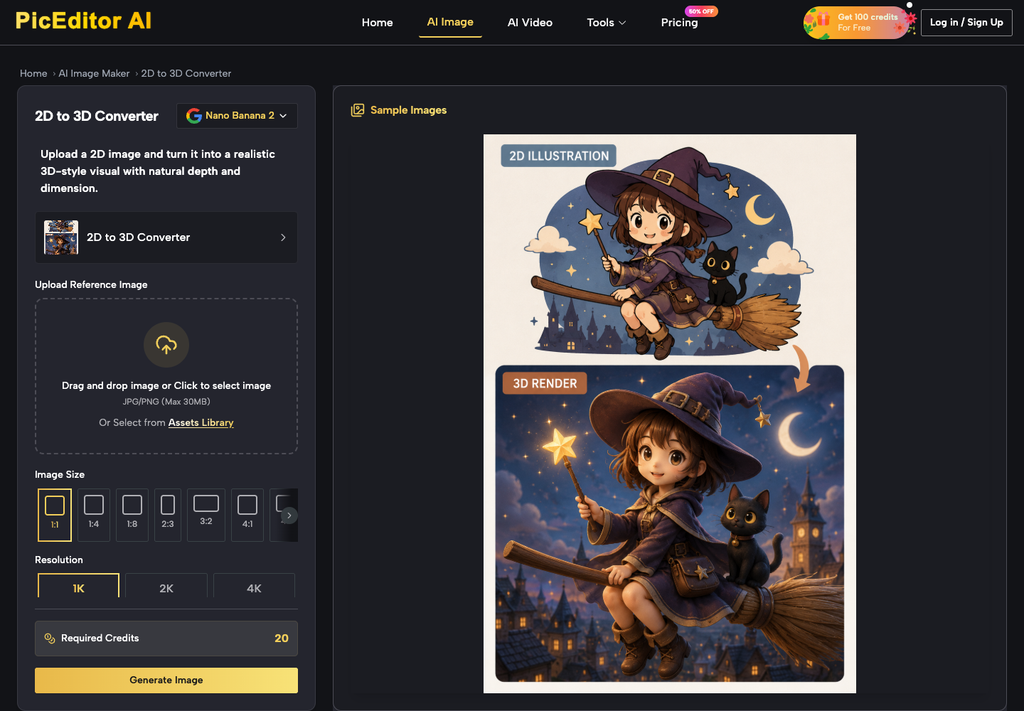
- Uploading a marketing-site mock and asking chat to “match the product.”
- Writing “more premium” instead of naming the glare or the cursor.
- Using Add more to drop in another company’s dashboard for atmosphere.
- Picking the prettiest of four takes without opening the live tenant.
- Leaving a take in the deck after the app shipped a different empty state.
Each error costs the same afternoon: someone on the other side shares a screen, the still and the app disagree, and the rest of the conversation becomes a repair. PicEditor AI cannot attend that call. The founder who owns the deck can prevent it by keeping the still on the build. A raise week already has enough queues. A picture that forces a live rebuild in the room is a queue you invented.
Hand The Deck Only After The Builds Agree
The last check is a shared screen with one other person who did not write the prompt. If they can click the live app and still recognize the slide, the file can go into the deck. If they hesitate, the file stays out, because hesitation in diligence is already a no. Chat cleaned a capture. It did not create a second product, and a raise week cannot afford a second product that exists only as a picture.
Recommended Stories for You
Team SR Jun 23, 2026

Sophie Carter Oct 6, 2026

Team SR Mar 13, 2026

Team SR Aug 19, 2026


Sophie Carter Oct 27, 2026
Trending Stories
What Startups Should Think About Before Moving Into Their First Commercial Premises
Understanding Residential Proxy Networks and How They Protect Online Privacy
How to Check a Neighborhood’s Infrastructure Before You Buy or Rent
My Honest RiseGuide Review 2026

Warning signs your workplace injury claim is heading for trouble

When Social Media Doesn’t Work: Multi-channel Marketing for B2B
Simple Ways to Support Your Construction Workers
How startup teams can coordinate marketing across offices