

Clipfly AI: Revolutionizing Video Creation with Artificial Intelligence
Apr 2, 2026 | By Kailee Rainse
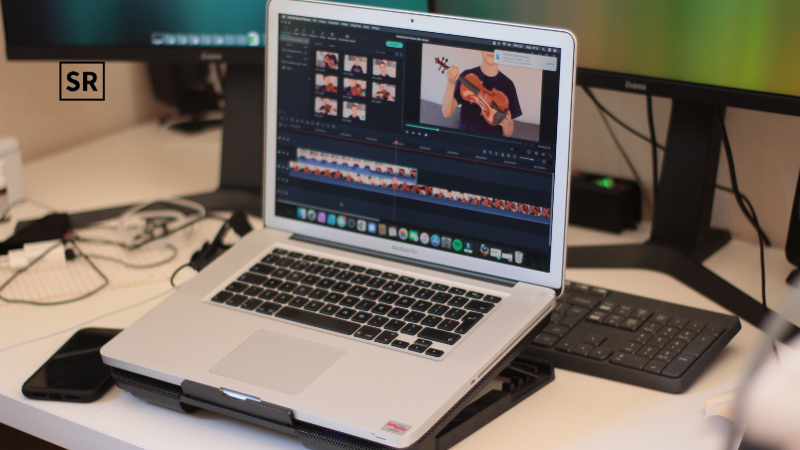
Clipfly's AI Video Generator is an online tool that uses sophisticated AI models to turn text prompts and images into brief videos. In reality, customers only need to describe the desired video, choose a model or style (such as "Veo 3," "Flux," "Anime," etc.), and Clipfly's engine will produce a whole video clip in a matter of seconds. For example,Clipfly's video creator "helps you make animated videos and movies from text prompts or images…using free credits without watermarks," according to the company's official website. The interface is browser-based (with mobile apps available) and very user-friendly; no download or specialized hardware is needed. In addition to pre-made templates for TikTok, storyboards, animations, and more, Clipfly provides several AI "generation models" (such as Veo 3, Flux, Wan 2.5, Seedance, and Kling) to generate various visual styles.
 Follow us
 Follow us
What Is a Clipfly AI Video Generator?
A cutting-edge online tool called Clipfly AI Video Generator makes it possible for anyone to produce a polished video. It removes the conventional obstacles of intricate scripting, filming, and post-production because it is powered by modern artificial intelligence.
Core Feature
Text-to-Video Generation: The text-to-video generator of Clipfly allows users to turn written descriptions into videos. By adding detailed prompts, the AI understands the creative intent by entering detailed prompts; scene structure, subject movement, camera angles, and overall visual mood.
RECOMMENDED FOR YOU



Novacyt Share Price Prediction (2025-2030): Expert Analysis & Predictions
Kailee Rainse
Mar 27, 2025
Image-to-Video Animation:Pictures can be animated using Clipfly's image-to-video capability. All you have to do is upload an image and choose the animation style that will provide typical, fluid movement within the image. Real estate walkthroughs, eCommerce product presentations, and artists wishing to animate graphics will find this very helpful.
Extensive Style Library: Clipfly offers a large style collection for the artificial intelligence video market. Users can choose from realistic images, anime, 3D cartoons, digital art, movies, sci-fi, cyberpunk, ink painting, and popular Ghibli-inspired styles.
Viral AI Video Templates: It offers a growing library of viral video templates that help users keep up with the latest social media trends. It includes action scenes, character transformation, character interaction, and eye-catching special effects. The AI smoothly handles complex animations, like fast-moving sequences or realistic embraces, so users can create trend-ready movies without the need for animation skills.
Why Clipfly AI Video Generator Stands Out
Free & No Watermarks: Clipfly's platform is free to use. The basic package lets you export up to 1080p video without watermarks. According to HitPaw's assessment, even users on the free tier are able to create reasonably polished videos (1080p exports have "no watermark").
Multiple AI Models & Styles:Numerous visual styles are supported. Clipfly, for example, offers specialized "AI Movie" and "AI Animation" filters, as well as entertaining filters like "AI Dance" generators. To create cartoonish, cinematic, or realistic looks, you can alternate between models (Veo, Flux, Wan 2.5, Seedance, Kling, etc.).
Intuitive Interface: The web application is easy to use for beginners. Prompt entry, style selection, and generation are all directed by buttons and unambiguous prompts. Expert users can adjust camera movement, angle, resolution, and even the number of films produced.
One-Stop Video Toolkit: Clipfly features a full-featured video editor in addition to its generator. Additionally, backgrounds can be removed, captions added, clips trimmed, music or speech overlaid, and clips combined. It has a vast collection of media assets, such as music, stickers, and stock footage, as well as templates, such as animated explainers, TikTok advertisements, and intros.
Rapid Generation: The AI is quick and runs in the cloud. Videos are produced "in a matter of seconds," according to Clipfly. Clipfly instantly creates visually amazing movies from your prompt with only a click, according to Analytics Insight.
Commercial Use Friendly: Videos can be used in commercial settings without additional licensing. When using the clips in campaigns, marketers and businesses won't have to worry about copyright issues, as Clipfly clearly states that the output is free for commercial use.
Use Cases of Clipfly AI Video Generator.
Clipfly is made for a variety of users. Ideas can be swiftly transformed into viral videos by social media users and content producers. A TikToker may enter "cheerleader dancing on a field" or "couple kissing at sunset," for instance, and receive an instant video. A user review claims that by automating frames and transitions, Clipfly assists in "creating good-quality content..." for brand campaigns or social networks. It is frequently used by marketers and small enterprises to create promotional content. Teams can create branded advertisements or product demos in minutes by entering marketing copy or product details (Clipfly offers "AI Product Video" templates for this). It is also useful for trainers and educators, who may transform lesson plans or presentations into animated explainers with captions and automatically generated narration. Clipfly is used by businesses and entrepreneurs to create demo reels or pitch films from their presentations and pitches. To put it briefly, Clipfly is particularly good at "ephemeral" or short-form video material, such as school projects, YouTube intros, Instagram advertisements, e-learning snippets, and entertaining personal videos.
- Marketing Agencies: Fast creation of product demos, ads and social clips from copy or briefs.
- YouTubers & Influencers: Also create intros, tutorials, or highlight videos with simple editing (allows 4K export for Pro).
- Educators: Turn teaching notes or presentations into explainer videos.
- Startups & SMBs: Make captivating video presentations for investors or product launch videos using infographics or pitch decks.
- Casual Users: Easily create entertaining or personal movies (social media posts, memes, greeting videos) with straightforward suggestions.
Technical Specs and Formats
In theory, Clipfly is totally online. It easily generates standard MP4 video files from user input in the form of text prompts or graphics (e.g., JPEG or PNG). Under the hood, it renders frames using various generative AI models and neural networks. By default, free-tier video is limited to 1080p; exporting in 2K or 4K is possible with the Pro plan. MP4 (videos) appears to be one of the supported output formats. In addition to generation, Clipfly offers a built-in collection of stock audio and video, auto-captioning, background removal, and video enhancement/upscaling. The interface allows you to add voiceovers (including AI-generated voices in more than 29 languages), overlay text or graphics, and reduce, merge, or replace clips. Platform-wise, Clipfly is compatible with all contemporary web browsers (Windows, macOS, and Linux) and provides iOS and Android companion apps for mobile editing. Unlike some AI tools, the service says there are no limitations on commercial use, so you retain the copyright to the videos you create.
Pricing Plans
Clipfly provides one-time credit packs in addition to paid and free tiers. Third-party sources claim that the Free Plan features watermark-free 1080p exports and costs $0 (with unlimited basic usage). Higher resolutions and more features are available when you upgrade to the paid "Pro" option. The HitPaw review states that "the annual subscription for a Pro will be approximately $39.99 (reduced prices apply at times)." This covers features including larger media libraries, 2K/4K export options, and teamwork.
Free: $0; comes with editing tools, simple AI models, and watermark-free 1080p export. Free users can also get 500 MB of cloud storage and export low-resolution GIFs (240p).
Pro (annual):For 39.99 a year (occasionally on a bargain), you get 2K/4K exports, advanced models, extra avatars and voices, priority support, and unlimited use of AI tools. Make better GIFs (320p/640p) and earn 200 additional credits each month for premium generators or effects.
Custom Plan: Additionally, Clipfly provides teams with an Enterprise plan (custom pricing). Features such as API access, single sign-on, dedicated support, and additional credits fall under this category.
Conclusion
Clipfly AI Video Generator is a powerful yet very user-friendly online tool that helps you create short videos in just a few minutes. It offers free, watermark-free access to modern AI features, along with a complete editing toolkit, all in a single, simple web app. Many users describe their experience creating “visually stunning videos” and find the platform “simple and easy to use.” This means you can make professional-looking clips for social media, marketing, or educational purposes, even if you have no video editing skills. Another big advantage is its affordable pricing. Compared to expensive enterprise platforms, Clipfly feels much more accessible, making it a great option for content creators, small businesses, and educators. Overall, Clipfly’s Free AI Video Generator is an efficient and practical way to turn creative ideas into engaging video content and achieve different creative goals.
Recommended Stories for You

Kailee Rainse Sep 20, 2025


Kailee Rainse Jul 22, 2025


Kailee Rainse Aug 25, 2025

Kailee Rainse Mar 25, 2026
Trending Stories

Petrotal Corporation Share Price Prediction (2025–2030): Expert Analysis & Predictions

Eqtec Plc Share Price Prediction (2025–2030): Expert Analysis & Predictions

Pod Point Group Holdings Plc Share Price Prediction (2025–2030): Expert Analysis & Predictions
SFM Compile: Comprehensive Guide to Understanding and Using It

Best Names for Newborns in Denmark

Threadality Technologies and Their Impact on the Modern Business World
SohoHindipro net: Trendy Bios and Creative Status Updates

Kingfisher Share Price Prediction 2025, 2026 to 2030 – Expert Analysis