

Evaluating Prompt-to-App Builder Accuracy: What Startups Should Know
Dec 2, 2025 | By Team SR

 Follow us
 Follow us
RECOMMENDED FOR YOU


The Art of Precision: How Engineering Transforms Driving Into an Experience
Team SR
Feb 7, 2026
Startups move fast. Ideas change in real time. Teams shift focus without much warning. So a tool that creates apps from simple text prompts sounds like a dream. You write what you want. The system builds it. The process feels easy. It feels quick and accessible. It also feels like something that can change how new products take shape.
Many teams look at this idea with excitement. They hear about the rise of prompt to app builder platforms and imagine instant progress. They picture fewer meetings. They picture faster mockups. They picture cleaner workflows. But accuracy still matters. A tool that misunderstands your prompt can slow you down. It can create more cleanup work. It can confuse your team. So you need a clear sense of how accuracy works before you invest time or money.
Understanding What “Accuracy” Means in This Space
Accuracy in this world does not mean perfection. It means alignment. Your prompt explains your idea. The builder interprets the message and produces a layout or feature set that reflects that idea. That process needs to stay close to your original intent. It should not drift off into random features. It should not misread labels or logic. It should not produce something that feels unrelated.
Many builders read prompts like conversations. They treat text as instructions. They search for goals in your words. They look for clues about structure. They guess at your priorities. This means accuracy depends on clarity. It depends on readable language. It depends on how well the system understands your phrasing. Some tools do this well. Others struggle when prompts feel vague or creative. A startup must understand this before relying on the output.
Why Prompt Quality Shapes the Final App
A prompt can act like a blueprint. It defines what the system attempts to build. If the prompt feels unclear, the builder fills in the gaps. That can lead to unexpected layouts. That can lead to messy logic. That can lead to workflows that feel disconnected. Many early-stage teams discover this after a few tests. They see that a prompt needs structure. It needs pieces that guide the builder. It needs a simple flow.
Teams that write stronger prompts unlock better accuracy. They produce clearer results. They avoid the confusion that happens when a builder guesses wrong. This also helps the team understand their own vision. A strong prompt forces clarity. It forces decisions. It reduces noise. It gives the output a better chance at matching what the team aims to build.
Where Most Builders Miss the Mark
Even strong tools have limits. Some builders struggle with design nuance. They might create layouts that feel stiff. They might misread spacing or alignment. They might miss the tone of your brand. They often give structures that feel generic. This happens because a builder follows patterns. It does not read style or emotion. It does not feel design rhythm.
Some tools also struggle with logic flow. They create screens with no clear path. They generate actions that feel mismatched. They produce forms with missing fields. They skip steps that matter to the user journey. Startups notice these gaps when they test early drafts. The system moves fast but leaves holes. These holes slow later development and force manual fixes.
Understanding these limits helps the team prepare. It helps them adjust prompts. It helps them plan edits. It helps them set realistic expectations.
Testing Output Before You Commit
Testing plays a huge role in accuracy checks. A team must explore the first draft. They must click through screens. They must test actions. They must check every label. This testing process reveals errors. It reveals mismatches. It reveals missing details. It shows where the builder misunderstood the prompt.
Startups should treat early drafts like sketches. The builder offers a starting point. The team refines the result. They change text. They adjust layouts. They fix logic. They make choices that move the project toward the final product. This process does not remove the benefits of prompt-based building. It simply makes the flow more responsible. It turns automation into a partner instead of a shortcut.
The Role of Human Review in This Workflow
Human review acts as the glue. It connects the vision with the automated output. It fills gaps left by the builder. It brings the product closer to the brand. Many teams underestimate this step. They expect instant perfection. They expect a polished app. They expect a tool to handle everything. That expectation leads to frustration.
Review brings balance. A team steps in and checks the tone. They check usability. They check clarity. They check the feel of each screen. They make sure the product reflects their values. This step protects quality. It protects the user experience. It protects the team from building the wrong thing.
Automation works best when paired with thoughtful review. The two work together. They create something fast but refined.
Slow Problems Grow When Accuracy Fails
A poor first draft can create a bigger mess later. A flawed layout needs more edits. A broken workflow creates confusion. A mismatched feature set requires rework. These issues stack up. They cost time. They cost energy. They create stress during early development.
Startups can prevent this with a simple rule. Check accuracy early. Fix issues early. Guide the builder with clear prompts. Set small goals. Build in steps. Keep the output tight. This approach turns potential problems into easy edits. It keeps the team in control. It keeps the process smooth.
Startups Benefit Most When They See These Tools as Partners
Prompt-to-app builders offer speed. They offer convenience. They offer a fresh way to experiment. But they also need direction. They need clarity. They need review. When startups understand this, they get stronger results. They launch faster. They build cleaner workflows. They move through early stages with more confidence.
These tools open new doors in product creation. They remove blockers. They inspire new ideas. They support teams that need momentum. Accuracy remains the key factor. When the builder stays aligned with the prompt, the whole process feels smooth and useful. With the right approach, a startup can get value without losing control of its vision.
Recommended Stories for You
Team SR Feb 2, 2026
Team SR Apr 7, 2026

Team SR Apr 13, 2026

Team SR Feb 7, 2026

Team SR Feb 2, 2026

Team SR Oct 10, 2025
Trending Stories

Understanding biometric security and Nedap Security Management

Career Change After 40: Proven Strategies for Professionals Seeking Meaningful Work

From Agency to Independent Studio: Building a Creative Practice With Intention

From Classroom to C-Suite: How Student Entrepreneurs Can Turn Academic Projects into Startup Success Stories

CoinKnow Review 2026: Is This the Best Coin Identifier App for US Coin Beginners?

Mistakes to Avoid When You Rent a Convertible Car in Dubai for a Short Trip
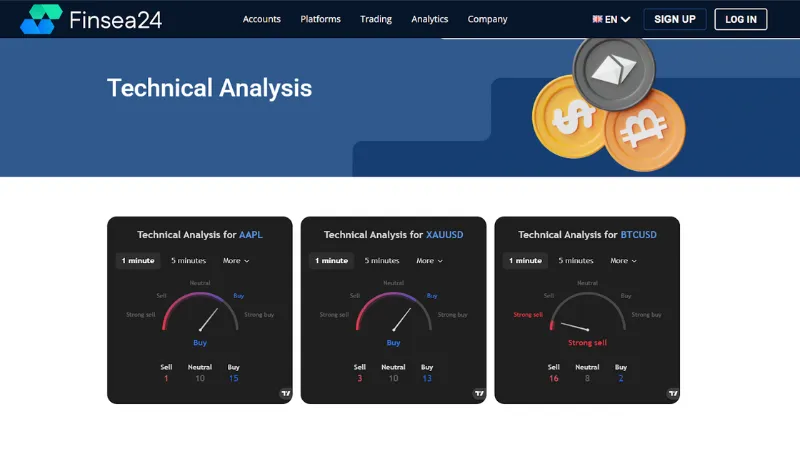
Finsea24 Review: Tips to Navigate Through Forex Market Volatility [finsea24.com]

Best Instagram Video Downloaders in 2026