

 Follow us
 Follow us
RECOMMENDED FOR YOU



How Regional Law Firms Preserve Community Trust in a Fast-Changing Industry
Team SR
Mar 27, 2026
Instagram remains one of the most video-focused social media platforms in 2026. Reels, Stories, and video posts continue to shape how people consume and share content online.
From creators and influencers to brands and everyday users, video is now the primary format for communication, marketing, and entertainment on the platform.
As video content grows, so does the need to save and manage it efficiently.
Many users look for ways to download Instagram videos for different reasons. Some want offline access when traveling or in areas with limited internet.
Others save content for planning social media campaigns, analyzing trends, archiving their own posts, or repurposing videos for use on other platforms.
With more structured content workflows in place, the demand for reliable Instagram video downloaders has increased.
Today, these tools generally fall into three main categories:
- Browser-based online downloaders, which allow users to paste a link and download content instantly without installing software.
- Desktop software is designed for users who need more control, higher-quality downloads, or bulk downloading options.
- Cross-platform tools, which support multiple websites and may offer additional features such as format conversion.
Modern users value tools that are easy to use, fast, and compatible across devices. Many prefer web-based solutions because they are convenient and do not require installation.
At the same time, content creators and marketers often choose desktop applications when they need more advanced download management and file organization.
Below, we compare some of the most commonly used Instagram video downloaders in 2026, including both online tools and desktop software, to help you understand their differences and choose the right option for your needs.
Top Instagram Video Downloaders in 2026
The following tools are frequently mentioned across technology blogs, software review websites, and online directories that track popular digital utilities.
Some tools are better suited for quick, browser-based downloads, while others are designed for users who need more advanced options such as bulk downloading or file management.
Choosing the right option often depends on individual needs, preferred devices, and how frequently the tool will be used.
| Tool | Free Version Available | Multi-Platform Support | Bulk Download Support |
| SnapInsta | Yes | Instagram-focused | Limited |
| SaveFromIns | Yes | Yes | Limited |
| Inflact | Limited / Plan-based | Instagram-focused | Plan-based |
| 4K Video Downloader | Yes (Limited) | Yes | Yes |
| iTubeGo | Yes (Limited) | Yes | Yes |
| FastDl | Yes | Instagram-focused | Limited |
| Qoob Clips | Limited | Instagram-focused | Yes |
1. SnapInsta
SnapInsta is a web-based Instagram downloader designed for quick access. Users typically paste a public Instagram link into the website to generate a downloadable file.
Key Features:
- Browser-based access
- No software installation required
- Supports downloading public Instagram content
- Works across desktop and mobile browsers
Best For: Users who want a straightforward, web-only solution without installing additional software.
Platform Support: Web (Windows, Mac, Android, iOS via browser)
Considerations: As with most online tools, features may vary depending on content type and account privacy settings.
2. SaveFromIns
SaveFromIns is an online video & music downloader that supports downloading media from various popular websites. It functions as an Instagram Video Downloader online, allowing users to save public Instagram videos directly through a web interface.
Key Features:
- Web-based access with no installation
- Designed for video and audio downloads
- Supports multiple platforms beyond Instagram
- Simple copy-and-paste link process
Best For: Users looking for an online downloader that works with Instagram as well as other major media platforms.
Platform Support: Web-based (accessible on desktop and mobile browsers)
Considerations: Download availability depends on public content access and platform policies.
3. Inflact Instagram Downloader
Inflact offers a web-based Instagram downloader as part of a broader suite of social media tools. It is often used by users who need additional account-related utilities alongside video downloading.
Key Features:
- Web-based downloader
- Supports public video and media links
- May offer expanded tools within its platform ecosystem
- Structured interface for content access
Best For: Users who prefer a web tool with additional social media-related features.
Platform Support: Web
Considerations: Some extended features may be part of paid plans depending on usage level.
4. 4K Video Downloader
4K Video Downloader is da esktop software available for major operating systems. It supports downloading videos from multiple platforms, including Instagram.
Key Features:
- Desktop-based application
- Supports high-quality downloads where available
- Suitable for repeated or bulk downloads
- Cross-platform availability
Best For: Users who regularly download videos and prefer a software-based workflow.
Platform Support: Windows, Mac, Linux (availability may vary by version)
Considerations: Requires installation. Some advanced features may be part of premium versions.
5. iTubeGo
iTubeGo is a video downloader software that supports multiple online platforms. In addition to downloading, it may include format conversion options.
Key Features:
- Desktop-based tool
- Multi-platform video support
- Format conversion capabilities
- Batch download functionality
Best For: Users who want additional flexibility in file formats and conversion.
Platform Support: Windows and Mac (availability may vary by version)
Considerations: Software installation required. Features differ between free and paid plans.
6. FastDl
FastDl is another browser-based Instagram downloader designed for simplicity. Users typically paste a public link to generate downloadable content.
Key Features:
- Web-based tool
- No account registration required
- Accessible on mobile and desktop browsers
- Focused on simple downloads
Best For: Casual users who need occasional downloads without installing software.
Platform Support: Web
Considerations: Functionality depends on public content accessibility.
7. Qoob Clips
Qoob Clips is a desktop software designed for downloading and organizing Instagram content. It is often used by users who want structured content management.
Key Features:
- Desktop application
- Designed for content archiving
- Supports downloading public Instagram posts
- Organized file management system
Best For: Users who need ongoing download management and archiving capabilities.
Platform Support: Windows, Mac, Linux (depending on version)
Considerations: Subscription plans may apply for extended usage.
Conclusion
In 2026, Instagram video downloaders range from simple browser-based tools to more advanced desktop software, giving users flexible options based on their needs. Online solutions are ideal for quick, occasional downloads, while desktop applications may suit those who require more control or manage larger volumes of content. Choosing the right tool depends on your workflow, device preference, and feature requirements, and it’s always important to use these tools in accordance with platform guidelines and copyright policies.
Recommended Stories for You

Team SR Dec 24, 2025

王海青 Sep 18, 2024


王海青 Apr 12, 2024

Team SR Dec 12, 2025

Team SR Dec 22, 2025
Trending Stories
Understanding biometric security and Nedap Security Management

From Agency to Independent Studio: Building a Creative Practice With Intention

Career Change After 40: Proven Strategies for Professionals Seeking Meaningful Work

From Classroom to C-Suite: How Student Entrepreneurs Can Turn Academic Projects into Startup Success Stories

CoinKnow Review 2026: Is This the Best Coin Identifier App for US Coin Beginners?
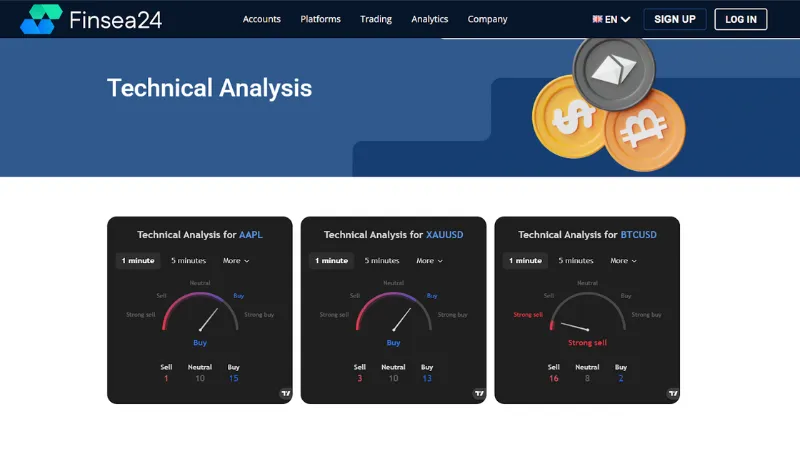
Finsea24 Review: Tips to Navigate Through Forex Market Volatility [finsea24.com]

Mistakes to Avoid When You Rent a Convertible Car in Dubai for a Short Trip

Transform Your Business with Advanced LLM Solutions