

Best Small Business Invoicing Software in the UK (2026): Top 6 Tools Compared
Aug 6, 2026 | By Oliver Bennett
 Follow us
 Follow us
Running a small business means there is always something that needs your attention. You might be chasing a customer for payment in the morning, sending an invoice in the afternoon, and trying to make sense of your accounts before the day is over.
That is where good invoicing software can make a real difference.
Instead of creating invoices manually, keeping payment records in spreadsheets, and setting reminders on your calendar, the right invoicing software can bring much of that work together in one place. You can create professional invoices, keep track of what has been paid, follow up on overdue bills and get a clearer picture of your business finances.
For UK small businesses, there is another consideration: VAT, accounting records, and Making Tax Digital requirements can complicate financial administration as a business grows.
The good news is that you do not necessarily need a complicated system to stay organised. There are plenty of invoicing and accounting platforms designed with freelancers, sole traders and small businesses in mind.
In this guide, we look at six options for small-business invoicing software in the UK: FreshBooks, Zoho Books, Sage, QuickBooks, Xero, and Simplybill. We will look at what each platform offers, its pricing, integrations and the type of business it may suit best.
What Is Small Business Invoicing Software?
Small business invoicing software is designed to make billing customers easier and more organised.
Rather than creating every invoice from scratch, you can usually save customer information, add your products or services, set payment terms and generate an invoice in a few clicks.
There are many platforms that go beyond basic invoice creation. Depending on the software you choose, you may also be able to:
- Track expenses
- Monitor outstanding invoices
- Send payment reminders
- Accept online payments
- Manage VAT
- Reconcile bank transactions
- Create recurring invoices
- Track cash flow
- Generate financial reports
- Manage customers and suppliers
- Connect with other business software
That combination can save a surprising amount of time, particularly when you are running the business yourself.
Why Invoicing Software Matters for UK Small Businesses
Late payments can put unnecessary pressure on a small business.
A business may be profitable on paper but still struggle if customers take too long to pay. Bills, salaries, suppliers and other expenses still need to be covered while you wait for money to arrive.
Good invoicing software cannot guarantee that customers will pay on time, but it can make the process much easier to manage.
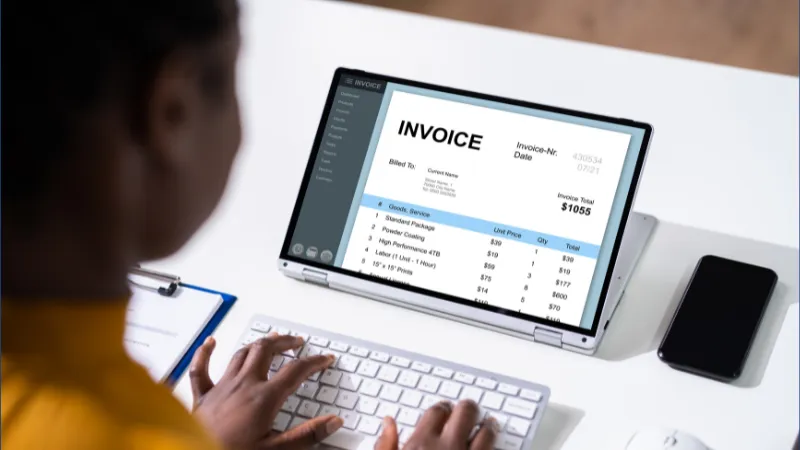
For example, automated reminders can reduce the need to manually chase every outstanding invoice. Payment links can make it easier for customers to settle bills, while financial reports can help you see which invoices are still unpaid.
The result is a more organised approach to getting paid and managing cash flow.
Best Small Business Invoicing Software in the UK
There is no single invoicing platform that will be perfect for every business. A freelancer who sends 10 invoices a month will have very different requirements from a growing company managing hundreds of customer transactions.
Here are six options worth considering.
1. FreshBooks
FreshBooks is designed with freelancers, self-employed professionals and small businesses in mind. One of its biggest advantages is its straightforward approach, making it appealing if you want accounting and invoicing tools without an unnecessarily complicated interface.
You can use FreshBooks to create and customise invoices, track expenses, monitor billable time and manage financial records. It also supports multicurrency accounting, which can be useful for businesses working with overseas clients.
FreshBooks can also integrate with Wise Business, allowing businesses to connect their financial workflows and reduce manual administration when tracking transactions.
Key FreshBooks features
- Customisable invoices
- Online payments
- Time tracking
- Expense tracking
- Accounting and bank reconciliation
- Bookkeeping and reporting
- Payroll management
- Client communication
- Multicurrency accounting
FreshBooks pricing
The source information lists:
- Lite: £7.50 per month
- Plus: £12.50 per month
- Premium: £17.50 per month
The plans listed in the source also offered 50% off for three months at the time of the referenced pricing information. Team members can be added for an additional £8 per month.
Because software pricing can change, it is worth checking the provider’s current pricing before signing up.
Best for: Freelancers, sole traders and small businesses looking for easy-to-use invoicing and accounting features.
2. Zoho Books
If you want to add invoices along with broader accounting features, Zoho Books is worth considering.
The platform lets businesses create invoices, manage bills, track expenses, reconcile bank accounts and generate reports. It also supports multicurrency payments and VAT-related functionality for UK businesses.
Another useful feature for eligible businesses is support for Making Tax Digital submissions to HMRC.
Zoho Books can also connect with other Zoho applications, which could be particularly useful if your business already uses the wider Zoho ecosystem.
Important Features of Zoho
- Custom invoices
- Sales order management
- Vendor bill management
- Purchase orders
- Bank reconciliation
- Inventory management
- Expense tracking
- Financial reporting
- Online payments
- VAT and Making Tax Digital functionality
Pricing of Zoho Books
The supplied source lists several plans:
- Free: £0
- Standard: £10 per month
- Professional: £20 per month
- Premium: £25 per month
- Elite: £85 per month
- Ultimate: £165 per month
The exact features available at each level vary, so businesses should compare the current plans before choosing one.
Best for: Small businesses that want invoicing alongside broader accounting, VAT and business management tools.
3. Sage
Sage has been around for decades, so it is a familiar name for many UK businesses.
Its software covers more than just invoicing. Depending on the plan, businesses can use Sage for accounting, cash flow management, tax-related tasks, payroll, inventory and financial reporting.
For a small business owner who wants to gradually move from basic invoicing into more comprehensive financial management, that wider range of tools can be useful.
Key Sage features
- Invoice management
- Cash flow management
- Tax management
- Payroll
- HR tools
- Inventory management
- Financial reporting
- Cloud-based collaboration
Sage pricing
The source lists the following pricing:
- Accounting Start: £18 per month after the first month
- Accounting Standard: £39 per month after the first month
- Accounting Plus: £59 per month after the first month
The plans are aimed at different business requirements, including sole traders, small businesses, inventory management and businesses dealing with multiple currencies.
Best for: UK small businesses looking for a recognised accounting platform that can support them as their financial requirements become more complex.
4. QuickBooks
QuickBooks is another major name in small business accounting and invoicing.
It allows businesses to create invoices, track expenses, manage accounts, handle taxes and monitor their financial position. Depending on the plan, you can also manage inventory, payments and other aspects of your business finances.
One advantage for smaller businesses is the range of plans available. A sole trader with fairly simple requirements does not necessarily need the same tools as a growing company with employees, inventory and more complex reporting needs.
Some of the Main features of QuickBooks
- Customisable invoicing
- Expense tracking
- Accounting reports
- Inventory management
- Mobile accounting
- Online and in-person payments
- Cloud accounting
- Data migration
QuickBooks pricing
The source list of plans is:
- Sole Trader: from £1 per month for six months, then £10 per month
- Simple Start: from £1.60 per month for six months, then £16 per month
- Essentials: from £3.30 per month for six months, then £33 per month
- Plus: from £4.70 per month for six months, then £47 per month
- Advanced: from £11.50 per month for six months, then £115 per month
These prices are based on the information provided in the source and may change.
QuickBooks also integrates with services such as Shopify, Amazon, eBay, PayPal, Square, Zapier and Wise Business.
Best for: Sole traders and small businesses that want invoicing combined with broader accounting and financial management.
5. Xero
Xero is another popular choice for small businesses that want invoicing and accounting tools in one system.
Its invoicing features can be particularly useful when combined with its wider accounting functionality. Businesses can track expenses, reconcile bank transactions, manage payments, create reports and handle other everyday accounting tasks.
Xero also offers a wide range of integrations, making it easier to connect accounting to other tools your business uses.
Key Xero features
- Online invoicing
- Bill payments
- Expense tracking
- Payment acceptance
- Reconciliation of bank accounts
- Orders for purchases
- Reporting and analysis
- Management of inventory
- Accounting in multiple currencies
- Management of fixed assets
Xero pricing
The source lists four plans:
- Ignite: £16 per month
- Grow: £33 per month
- Comprehensive: £47 per month
- Ultimate: £59 per month
The plans provide different levels of accounting, payroll and forecasting functionality.
Best for: Small and growing businesses that want invoicing combined with strong accounting features and integrations.
6. Simplybill
If you do not need a full accounting platform and mainly want a simple way to create and manage invoices, Simplybill takes a more focused approach.
It is aimed at freelancers and small businesses that want straightforward online invoicing without adding unnecessary accounting features.
The platform includes invoice creation and tracking, reporting, tax calculations and recurring billing.
Key Simplybill features
- Invoice creation
- Invoice tracking
- Dashboards
- Reporting
- Tax calculations
- Recurring billing
Simplybill pricing
The source lists:
- Basic: $5 per month for up to 25 invoices
- Enhanced: $15 per month for up to 100 invoices
- Premium: $25 per month for unlimited invoices
A 14-day free trial is also listed for the plans.
Because the pricing shown in the source is in US dollars, UK businesses should check the provider’s current pricing and currency arrangements before making a decision.
Best for: Freelancers and small businesses that want simple, focused invoicing rather than a large accounting system.
Quick Comparison of Small Business Invoicing Software
| Software | Best suited to | Key strength |
| FreshBooks | Freelancers and small businesses | Simple invoicing and accounting |
| Zoho Books | Small and growing businesses | Broad accounting and business features |
| Sage | UK small businesses | Accounting, invoicing and payroll |
| QuickBooks | Sole traders and small businesses | Flexible accounting and invoicing |
| Xero | Growing businesses | Integrations and financial management |
| Simplybill | Freelancers and micro-businesses | Simple online invoicing |
How to Choose the Best Invoicing Software for Your Small Business
Choosing invoicing software should not be about picking the platform with the longest list of features.
RECOMMENDED FOR YOU


The better question is: what does your business actually need?
A freelancer who sends a handful of invoices each month may be perfectly happy with a simple invoicing platform. A business with employees, stock, VAT obligations and international customers may need a much more complete accounting system.
Here are some of the features worth considering.
Customisable Invoices
Your invoices represent your business, so they should look professional.
Look for software that lets you add your business details, logo, colours, payment information, and personalised notes.
Automated Payment Reminders
This can be one of the most useful features for a busy business owner.
Instead of remembering which customers need to be chased, automated reminders can help follow up on unpaid invoices according to your chosen schedule.
Easy Payment Collection
Making an invoice is only half the job. You also want customers to be able to pay without unnecessary friction.
Look for platforms that support payment links or connect with payment providers your customers already use.
Financial Reporting
As your business grows, basic invoicing may no longer be enough.
Reports showing paid and unpaid invoices, revenue, expenses, VAT and cash flow can give you a much clearer understanding of how the business is performing.
Integrations
Your invoicing software should ideally work with the other systems you already use.
Connections with accounting platforms, payment providers, ecommerce services, payroll tools and banking services can reduce repetitive data entry and make financial administration easier.
VAT and Making Tax Digital Support
For many UK businesses, tax compliance is an important consideration when selecting accounting and invoicing software.
If your business is VAT registered or subject to Making Tax Digital requirements, check whether the software supports the relevant features you need before subscribing.
Is Free Invoicing Software Enough for a Small Business?
Sometimes, yes.
If you are a freelancer or very small business with straightforward needs, a free or inexpensive invoicing tool may provide everything you need.
But free software can become limiting as your business grows.
You may eventually need recurring invoices, automated reminders, expense tracking, VAT support, inventory management, bank reconciliation, detailed reporting or integrations with other systems.
That is why it is worth thinking about where your business is heading rather than choosing software purely because it is free today.
Can Invoicing Software Help You Get Paid Faster?
It can certainly make the payment process more efficient.
Professional invoices make it clear what the customer owes, while payment links and online payment options can make settling an invoice easier.
Automated reminders can also reduce the amount of time you spend manually chasing overdue payments.
Of course, software cannot force a customer to pay. But removing unnecessary delays and making your payment process more organised can help improve the overall experience.
Conclusion
The best small business invoicing software in the UK is not necessarily the most expensive or feature-packed option. It is the one that fits the way you actually run your business.
Before making your choice, think about your current workload, your budget and where you expect the business to be in the next year or two.
A good invoicing system should make your life easier, not create another administrative headache. If it helps you send professional invoices, keep track of payments, follow up on overdue bills and understand your cash flow, it is already doing something valuable for your business.
FAQs
What is the best invoicing software for small businesses in the UK?
Can invoicing software automatically remind customers to pay?
Can customers pay invoices online?
Is invoicing software useful for freelancers?
Can invoicing software create recurring invoices?
Can I track unpaid invoices with invoicing software?
Is cloud invoicing software safe?
Can I create invoices from my phone?
Can invoicing software help with cash flow?
Should a small business use invoicing software or Excel?
Recommended Stories for You
Team SR Oct 3, 2025


Kailee Rainse Jul 14, 2025
Team SR Jun 26, 2025

Money BetterThisWorld: Guide to Purposeful Spending, Ethical Investing and Meaningful Wealth
Kailee Rainse Apr 13, 2026
Trending Stories

Phoenix Copper Share Price Prediction (2025-2030): Expert Analysis & Predictions

CRH Share Price Prediction 2025, 2026 to 2030 – Expert Analysis

MMS69 BATMAN – Hot Toys The Dark Knight Batmobile Tumbler Movie Masterpiece NIB

Henry Zeffman’s Wife: Exploring His Life, Career and Personal Journey

Top 10 AI Applications
Fix “Your Organization’s Data Cannot Be Pasted Here” Easily

BlackRock World Mining Trust plc Share Price Prediction (2025–2030): Expert Analysis & Predictions

Money6x.com Earnings: What You Need to Know About Earning Your First $100